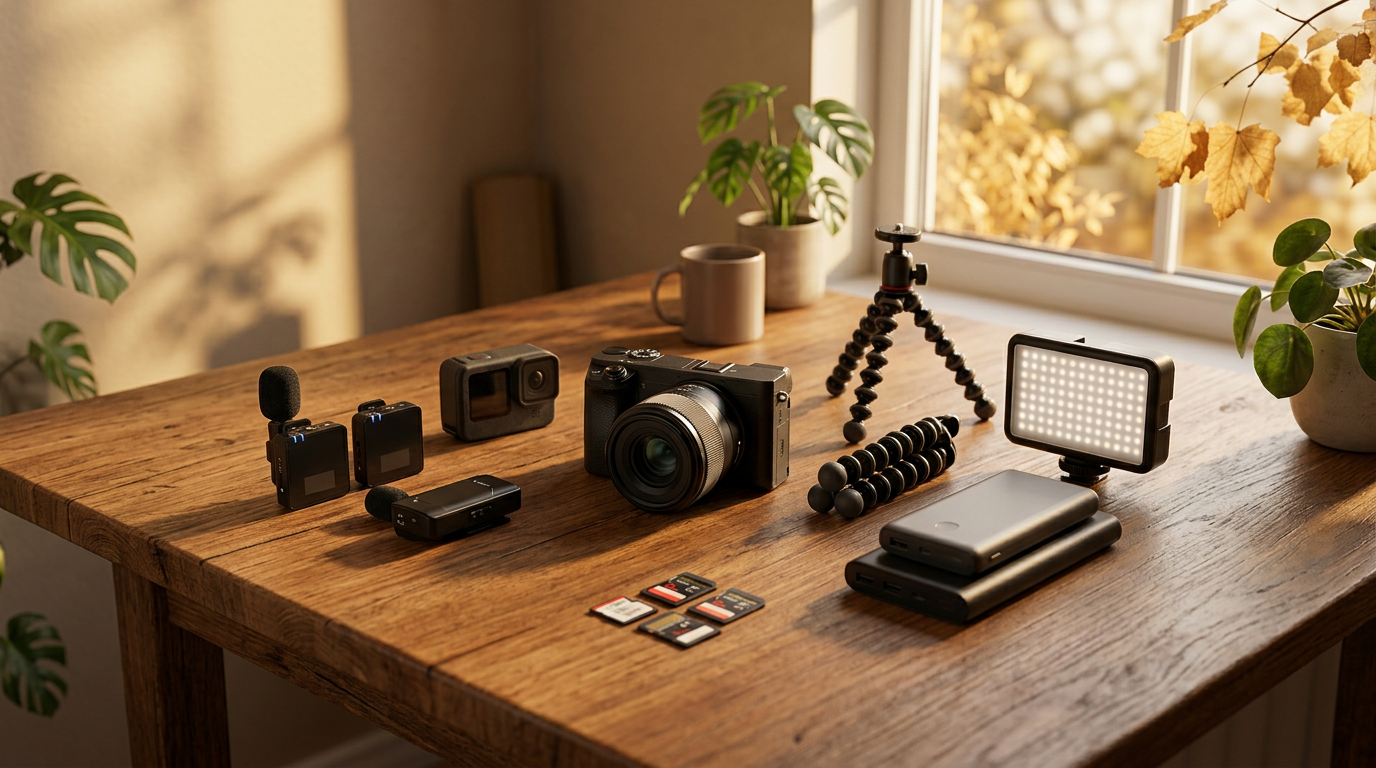
Black Friday 2026 Creator Gear Buying Guide: 9 Smart Checks

Disclosure: This article contains affiliate links. If you purchase through these links, we may earn a commission at no additional cost to you.
A camera bundle marked “Black Friday deal” can look irresistible until you discover the microphone does not fit, the batteries are proprietary, or the tripod will not hold the camera. This Black Friday 2026 creator gear buying guide is for people who want to record family trips, make videos from the road, share a hobby online, or upgrade a simple home setup without paying for equipment they will never use.
You do not need a studio or an expensive camera to get started. A phone, steady support, understandable sound, and decent light can produce more watchable video than a complicated bag of gear used incorrectly. Before shopping, write down what you want to record, where you will record it, and which devices you already own.
Black Friday 2026 creator gear buying guide: Start with the job
The right purchase depends on the job. Talking to a camera at a desk needs different equipment from filming a windy roadside overlook or recording family memories in an RV. Use these nine checks as a shopping filter. No prices or sale claims below are verified live offers; compare actual listings and terms before buying.
1. Decide whether you really need a new camera
Modern phones can already record sharp video in good light. A dedicated camera may be worth considering when you need interchangeable lenses, better manual control, a longer recording workflow, or particular audio connections. But a camera body can trigger extra spending on lenses, memory cards, batteries, bags and software. Add the complete cost before calling a discounted body a bargain.
For a beginner filming family trips, test your existing phone outdoors and indoors first. If the footage is good but shaky, support equipment might be a better first purchase than a replacement camera.
2. Fix your sound before buying more pixels
Viewers will often tolerate an ordinary picture longer than speech they cannot understand. Compare microphones by connection type, supported devices, wind protection, charging method and whether you can monitor or test the recording. Wireless systems add freedom of movement, but require compatible receivers and a plan for battery life.
A compact wireless microphone kit with a compatible phone or camera receiver and effective wind protection can make spoken road-trip videos easier to understand. Buy only after confirming the exact connector and recording app compatibility.
For a detailed comparison, see Wireless Microphone for GoPro: What to Check Before Buying.
3. Choose a tripod or mount that fits your actual setup
A cheap stand is not a deal if it tips over. Check its load rating, mounting thread, phone clamp width, usable height, packed size and stability on uneven surfaces. A tabletop tripod may be perfect for a picnic table, while a full-height tripod is more useful for standing demonstrations or group pictures.
A stable compact tripod with a compatible phone clamp or camera mounting plate is a practical upgrade for travelers who want steady video without carrying a full studio. Never attach a camera where it blocks a driver’s view or distracts anyone operating a vehicle.
For vehicle-specific mounting advice, read GoPro Car Mounts for Road Trips: What to Check Before Buying.
4. Compare lighting for the place you actually film
An adjustable LED light can improve a dim desk recording or an evening indoor interview. Compare brightness control, color-temperature adjustment, diffusion, power connection and mounting hardware. Brightness claims are not directly comparable when manufacturers measure them differently, so look for consistent testing and sample footage.
If you mostly film outside in daylight, a reflector or a change in shooting position may help more than another battery-powered light. For indoor video, a small diffused LED light with adjustable output can be more useful than a large light that is awkward to position.
5. Check memory cards, file formats and storage costs
High-resolution video uses storage quickly, especially on long trips. Verify which card types, capacities and speed classes your camera supports in the manufacturer manual. A large card with the wrong performance rating may cause recording errors. Remember to budget for backup storage, not just the card that stays in the camera.
A compatible, appropriately rated memory card from a reputable seller is a sensible creator-gear purchase, but only when its specifications match the recording mode you intend to use. Keep a second copy of important family footage before formatting a card.
6. Plan how everything gets charged on the road
Count the charging ports and power requirements of your phone, camera, microphone and lights. Some accessories use USB-C while others require a proprietary battery charger. Confirm whether charging can happen while a device is in use and whether a car charger can supply the required output safely.
If you are camping or working away from outlets, compare battery capacity, continuous output and weight rather than assuming a larger power station is always better. The best choice is one that runs your actual devices for the time you need.
Our broader road-power guide is Portable Power Station for Road Trips: 8 Things to Check.
7. Treat drones as a separate decision
A drone can capture striking travel views, but it adds a different learning curve, batteries, airspace restrictions and possible registration requirements. The FAA says registration requirements depend on aircraft weight and how the drone is used; drones that must be registered generally must also comply with Remote ID. Rules can differ for recreational and non-recreational flights. Check current FAA guidance and local restrictions before purchasing or flying.
A discount does not make a drone suitable for every destination. If you only want memories of a scenic stop, a handheld camera or phone may be easier and more useful.
For current U.S. requirements, consult the FAA drone registration guidance.
8. Calculate the full bundle price, not the headline discount
Bundles may include useful spare batteries and mounts, or they may pad the box with accessories you will never use. Compare the exact model number, warranty, return policy, shipping charges and the individual prices of items you would actually buy. A camera sold with five low-value extras is not necessarily a better purchase than the same camera alone.
The Federal Trade Commission recommends checking seller information, product details, shipping promises and return terms before online purchases. Keep order records and look carefully at sale-item return restrictions.
The official consumer guidance is FTC Online Shopping.
9. Make a simple shopping plan before Black Friday
Choose one must-have item, one useful upgrade and a maximum total budget. Record the exact model and normal price from more than one reputable seller before the sale. When promotions arrive, compare the final checkout total, including tax and shipping, and decide whether the product still meets your original need.
If a deal disappears, do not let a countdown timer make the decision for you. Gear that sits unopened in a closet is not a bargain at any price.
Which creator gear should you buy first?
For someone starting with a phone, prioritize a stable mount and clearer sound. For a family traveler who already has those basics, extra storage and a dependable charging setup may prevent more frustration than a new camera. For a hobbyist recording at home, soft lighting can be the next logical upgrade.
A useful rule is to improve the weakest part of the videos you already make. Watch a few clips with the sound on, notice what is distracting, and buy one fix at a time. That approach keeps the budget under control and makes it easier to tell whether the purchase helped.
For a broader holiday shopping checklist, visit Best Black Friday Tech Deals 2026: What to Buy and What to Skip. It covers other technology categories beyond creator gear.
Frequently asked questions about Black Friday creator gear
Is a Black Friday camera bundle always a better deal?
No. Compare the precise camera model and the actual value of accessories you would have bought anyway. A bundle can cost more than the essentials purchased separately.
Can I start making videos with only a phone?
Yes. Start with the phone you own, adequate light, steady framing and understandable audio. Upgrade only after you can identify a specific limitation.
What matters more for travel videos: 4K or sound?
Both can matter, but clear speech and stable footage often improve the viewing experience more than a resolution increase alone. Choose based on how and where you share videos.
When should I compare Black Friday prices?
Start before the sale so you know the usual price of the exact model you want. Recheck the final total and return policy when a promotion goes live.
The bottom line
The smartest Black Friday creator-gear purchase is the one that solves a real problem in your videos. Buy for your existing phone or camera, your actual travel habits and your budget. Skip the flashy bundles that make more promises than your next trip needs.
Some links on this website may be affiliate links, which means we may earn a small commission when you make a purchase, at no extra cost to you. As an Amazon Associate I earn from qualifying purchases. Your support helps keep Trucker Curtis going, and we truly appreciate it!


Comments